


In the Betclic app, click Paramètres.
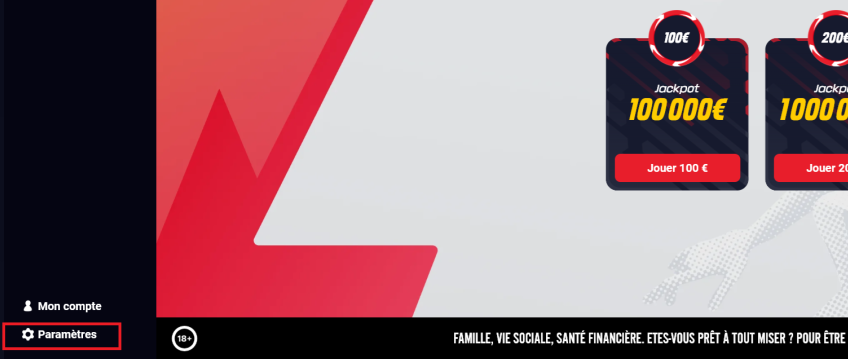
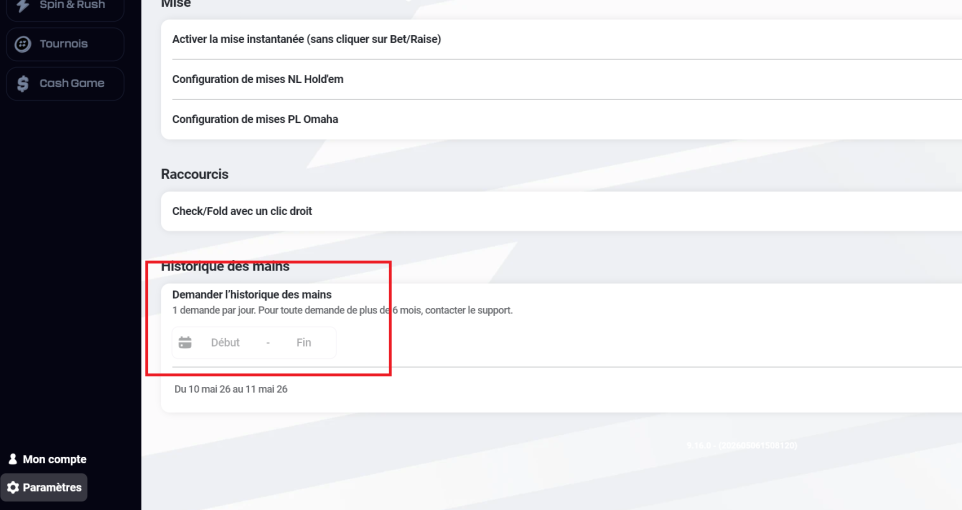
In the Historique des mains field, select the Hand History (HH) period you want to download. It is recommended to select one day before and one day after the month you want to verify. Then click Demander l’historique.
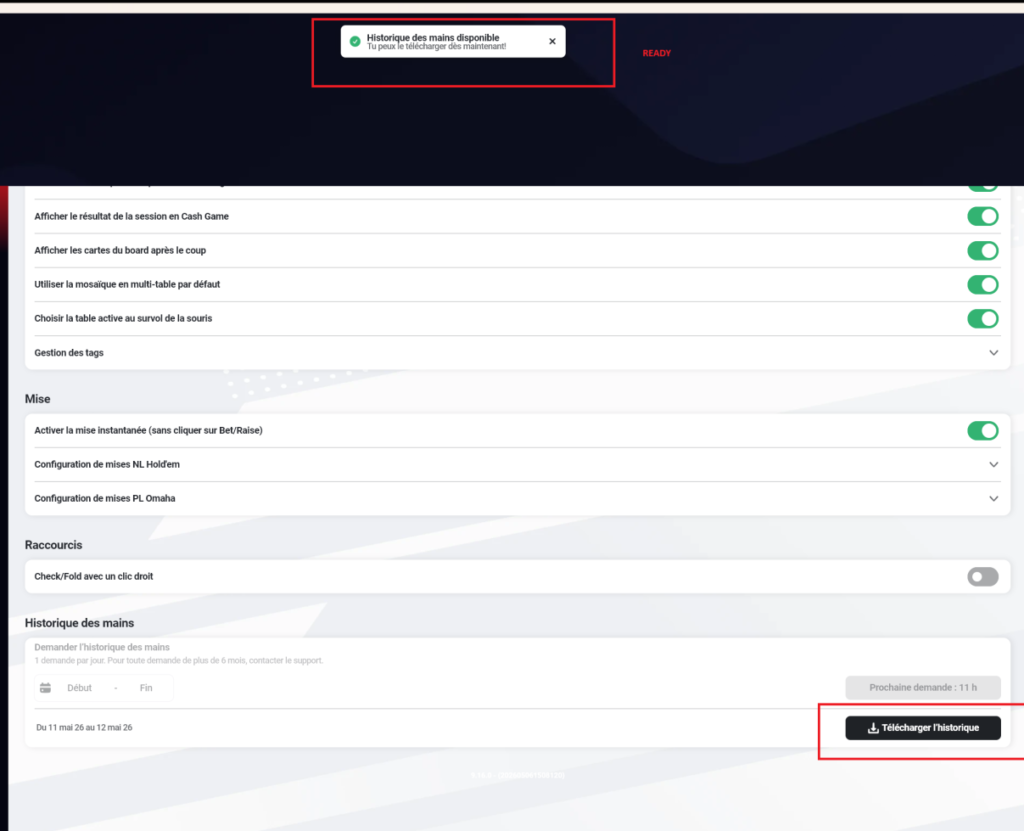
After a few minutes, you will receive a notification that the HH is ready. You can also check again in Paramètres to see if the download is available. Click Télécharger l’historique to download the HH.
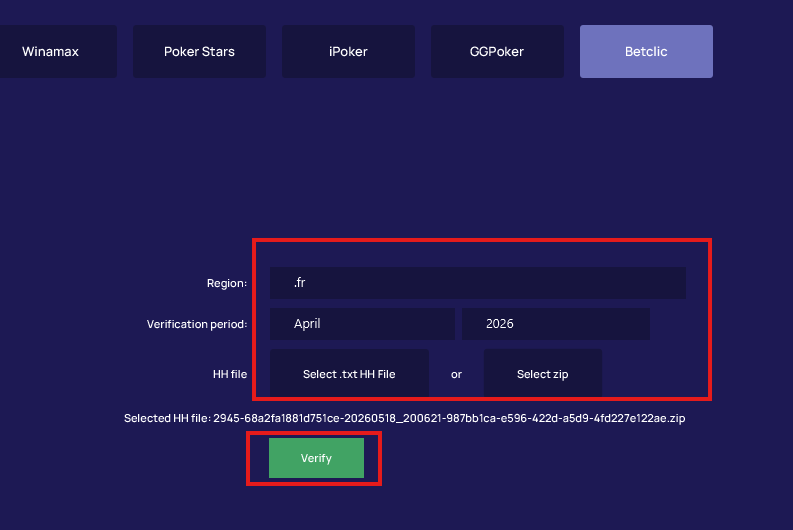
After downloading the HH, open PureTracker. Select HH Verification from the left menu, then click Betclic.
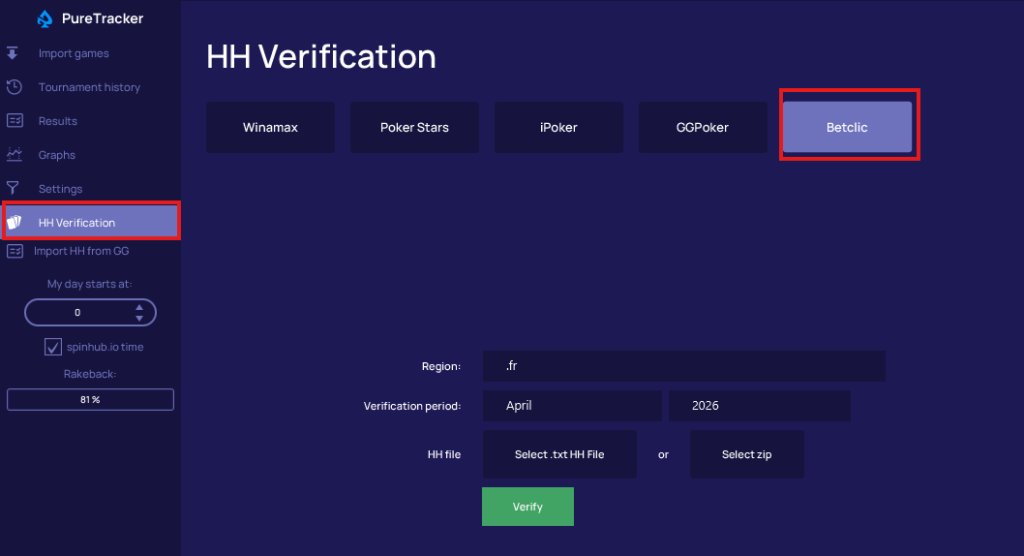
The region will be selected by default as .fr and does not need to be changed. Select the period for HH Verification. By default, the previous month will always be selected.
Select the HH files. You can upload either extracted .txt files or a .zip file.
Click Verify. If the upload is successful, you will see a confirmation message.
If you see an error, contact SpinHub Support.