


To import hand histories from GGPoker, the following additional requirements apply:
- Google Chrome browser
- PureTracker Chrome Extension
Installing the PureTracker Chrome Extension
- Download the extension: https://storage.googleapis.com/puregto-downloads/puretracker-chrome/PT-Chrome.zip
- Extract the
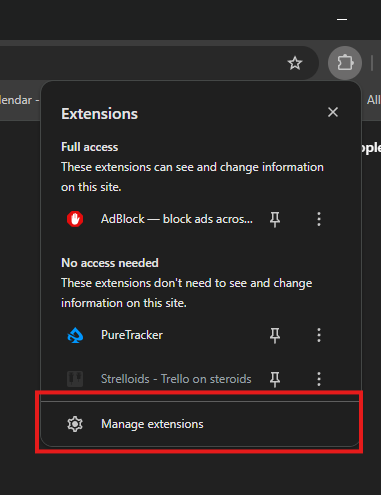
PT-Chromefolder to any location on your computer. Save this folder and do not delete it, otherwise the extension will be removed. - Open Google Chrome and click the Extensions icon → Manage Extensions.
- Enable Developer mode (top-right corner).
- Click Load unpacked and select the
PT-Chromefolder.
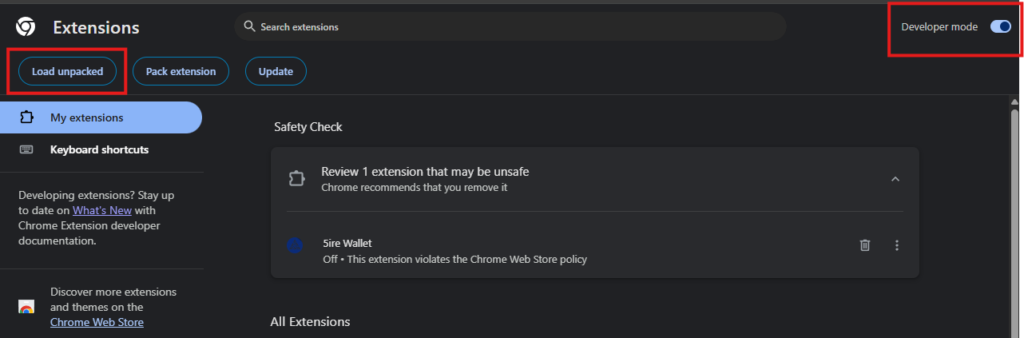
- If PureTracker appears in the Extensions list, the extension has been installed successfully.
Importing GGPoker Hand Histories
To import GGPoker hand histories, PureTracker client and PokerCraft must be open in Google Chrome.
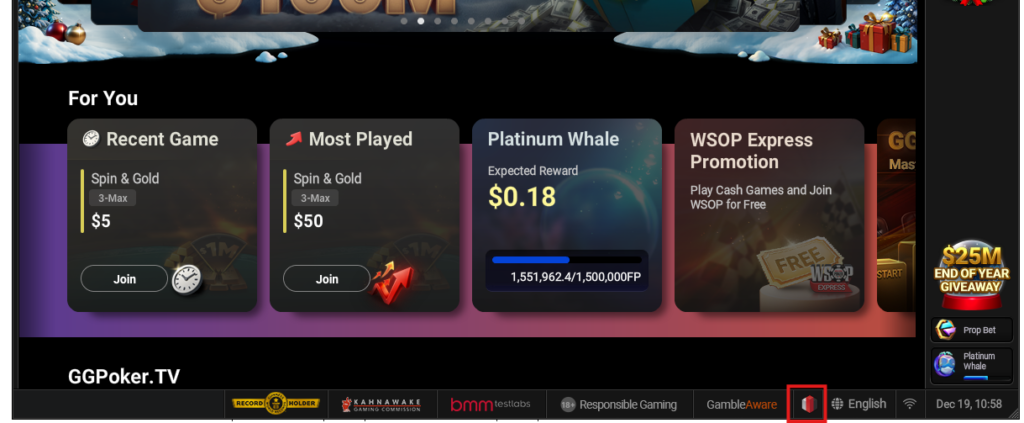
- Open PokerCraft from your GGPoker client (Natural8, BetKings, OlyBet).
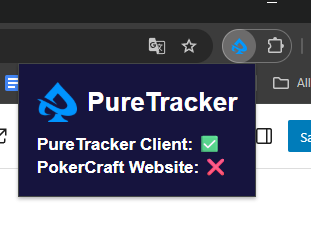
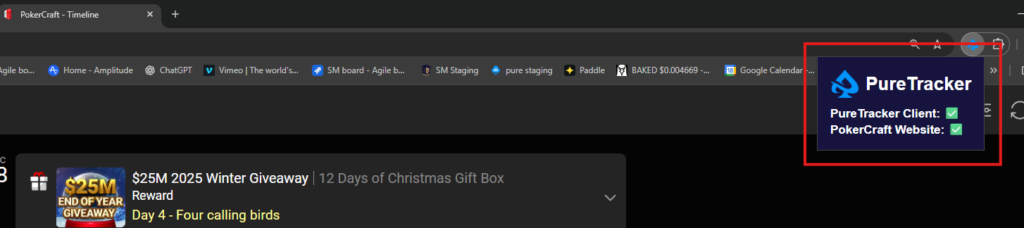
- In Google Chrome, open the PureTracker extension and verify that both the PokerCraft website and the PureTracker client display green checkmarks.
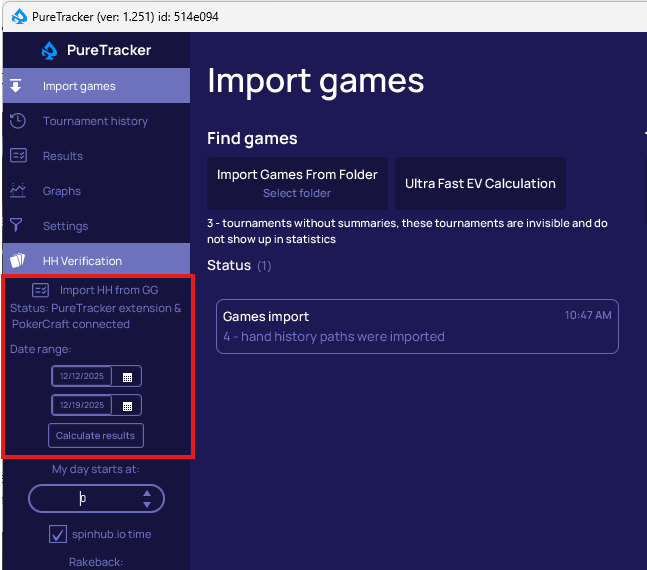
- In the PureTracker client, click on Import HH from GG tab, select the date range to be imported and click Calculate Results.
- Wait for the import process to complete, then review your results.