


For GGPoker Verification, you need to have Google Chrome and the PureTracker Chrome extension installed on your PC or Mac.
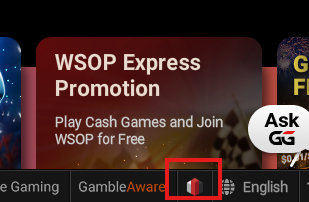
Open PokerCraft from the GGPoker app.
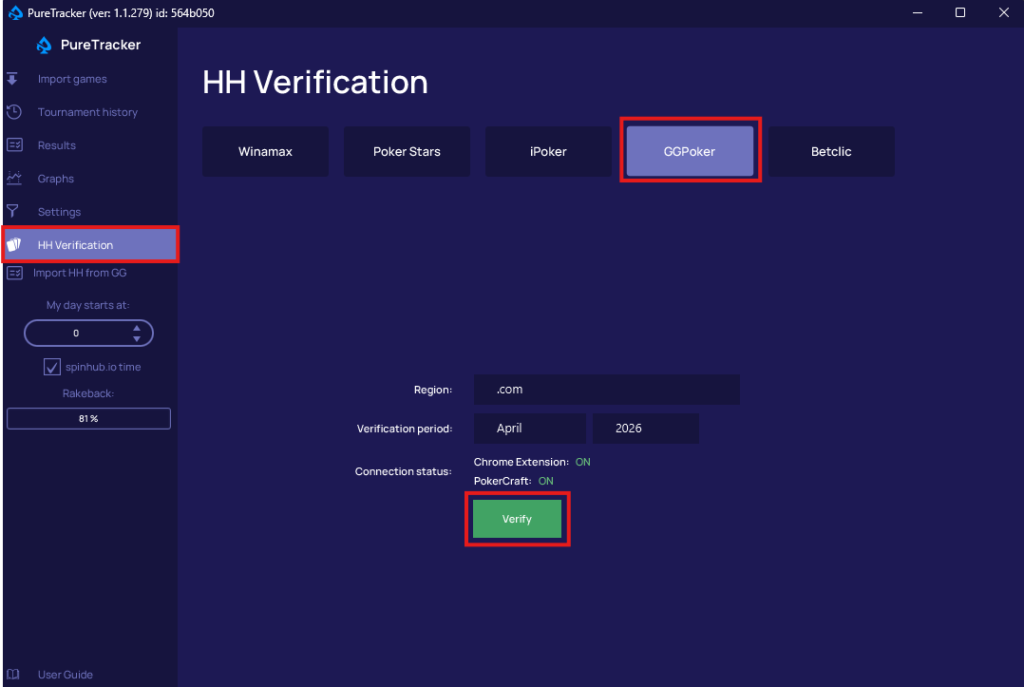
Open PureTracker, then select HH Verification from the left menu and click on GGPoker.
Select your region: .com or .ca.
Select the month and year for the verification period. By default, it will always show the previous month.
Make sure the connection status for both the Chrome Extension and PokerCraft is ON.
Click Verify.
GGPoker verification may take from 2 to 30 minutes or even more, depending on how many games were played.
Once the process is completed, a message confirming successful HH Verification will appear.