


Open the Unibet app. The language must be set to English. Select PowerSpin → History → Download Requests.
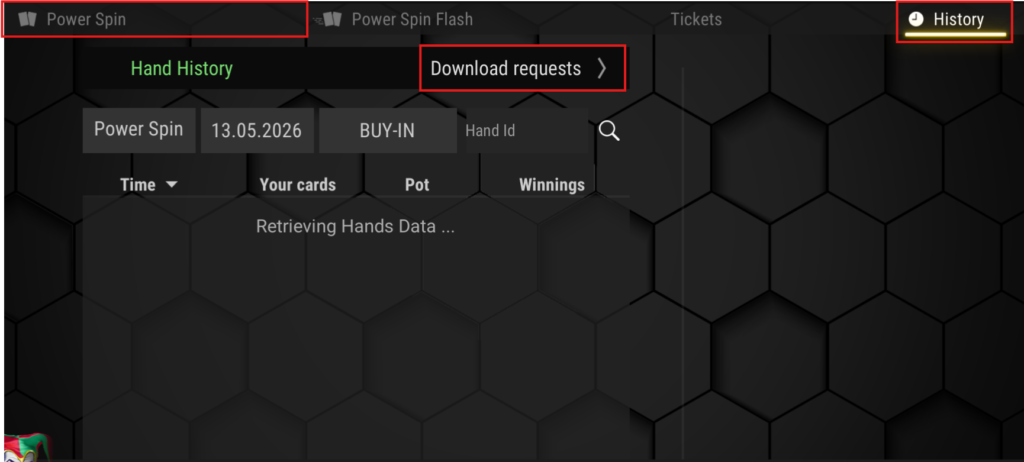
Select the date interval and click Request. It is recommended to select one day before and one day after the month you want to verify. For example: 03.30.2026 – 05.01.2026.
Wait a few minutes until the HH is available for download.
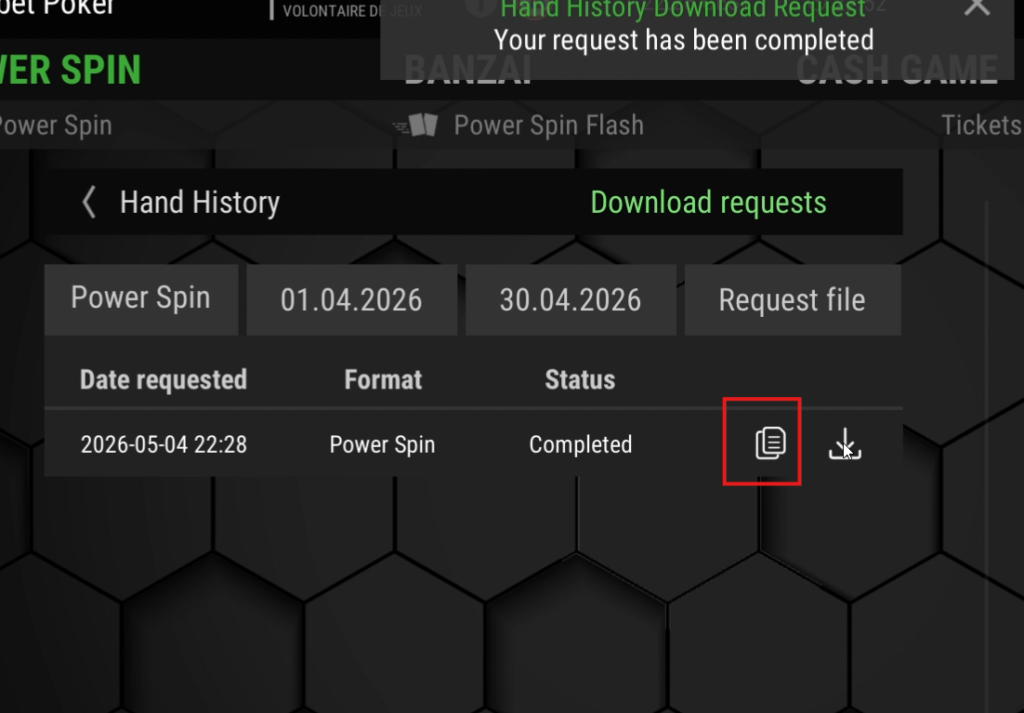
When it is ready, click the copy icon.
Open the PureTracker app, select HH Verification from the left menu, and click Unibet.
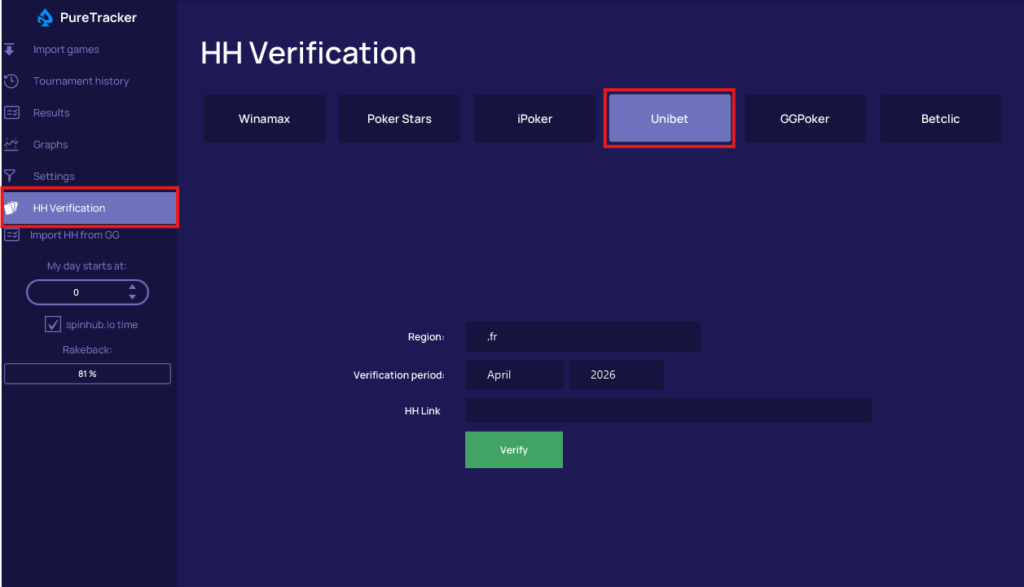
The region will be selected by default as .fr and does not need to be changed.
Select the period for which you want to verify your HH. By default, the previous month will always be selected.
Paste the HH link from the Unibet app and click Verify.
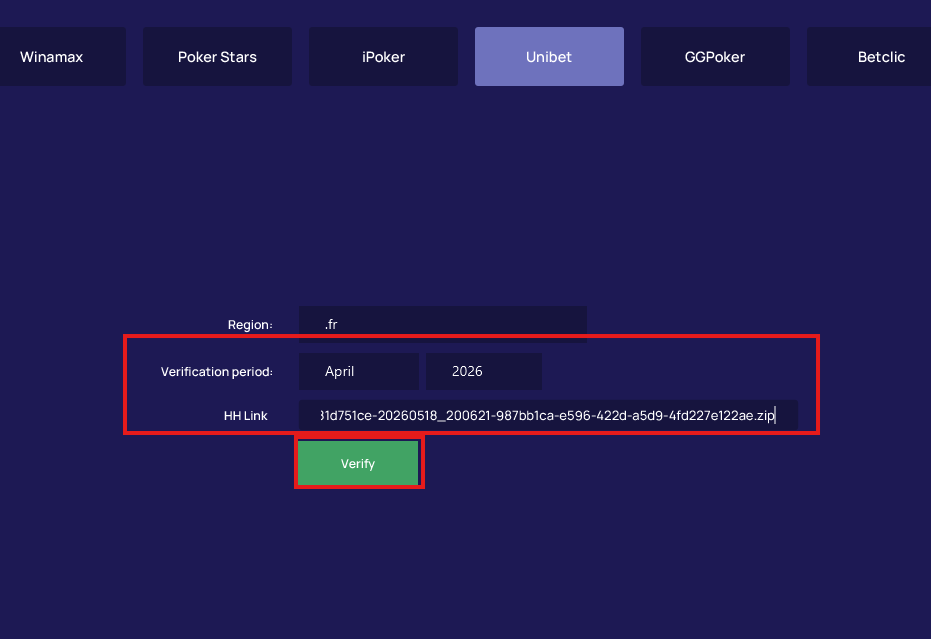
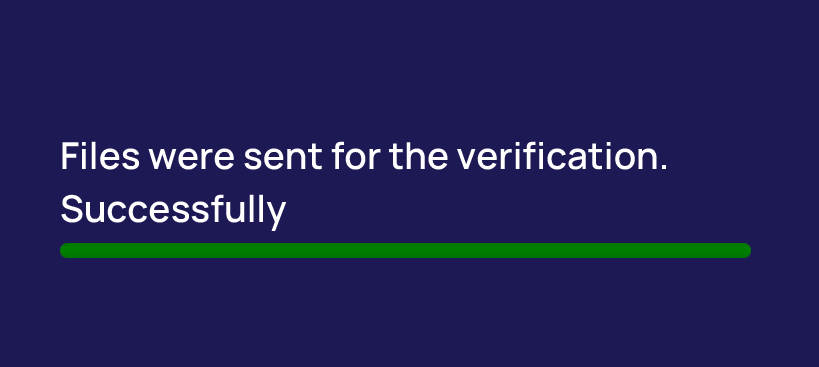
If the upload is successful, you will see a confirmation message.
If an error message appears, contact SpinHub Support.